Select what matters. Remember it all.
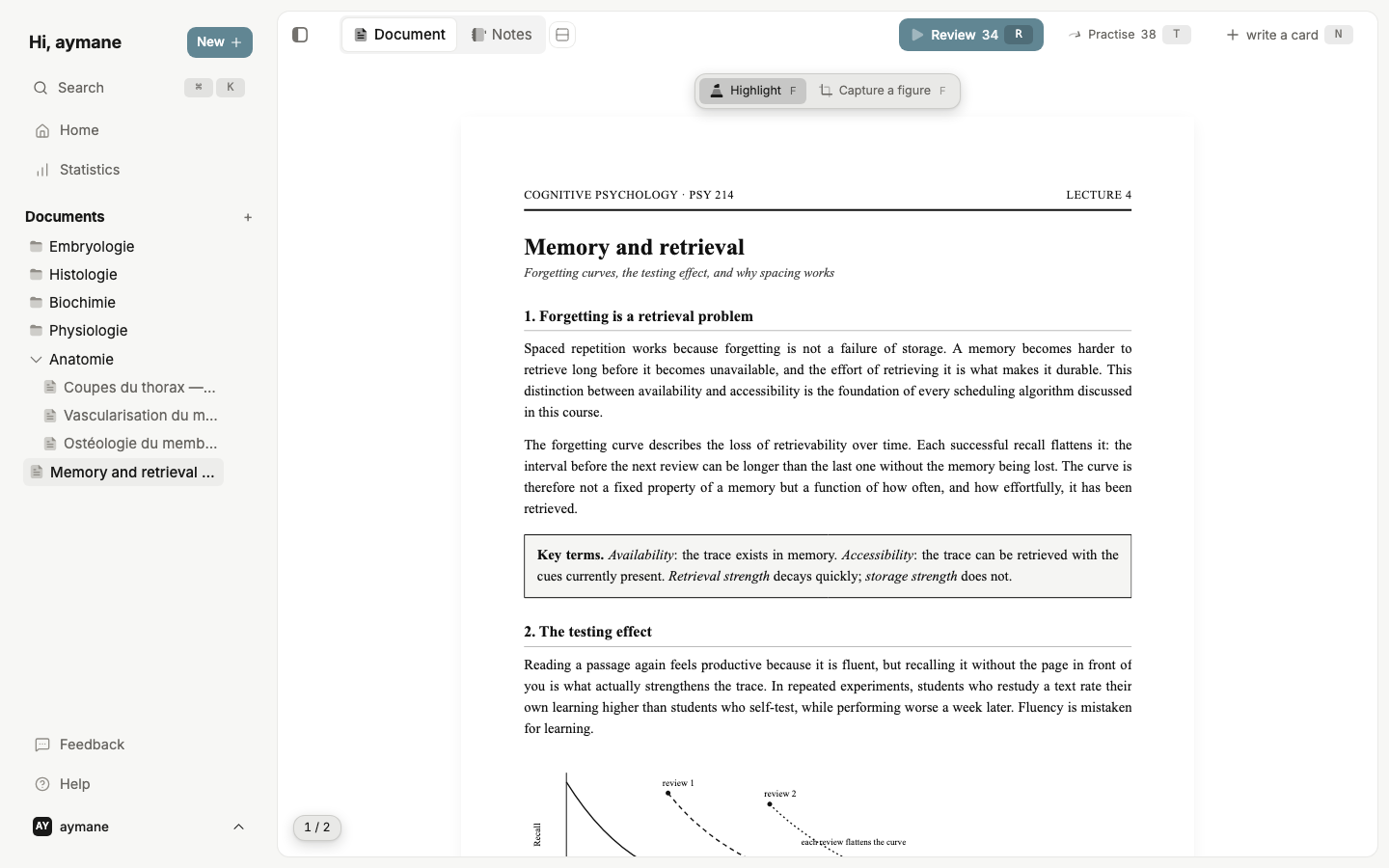
From the page to the card, and back.
Making cards is where studying dies.
Read your course here. Highlight what matters, to the word, several passages at once. The passage lands in the answer on its own; you only write the question.
Try for freeReview right on time, not all at once.
Spaced repetition (FSRS) brings each card back just before you’d forget it. Four buttons, and each one shows the date it will write, before you press it.
Try for free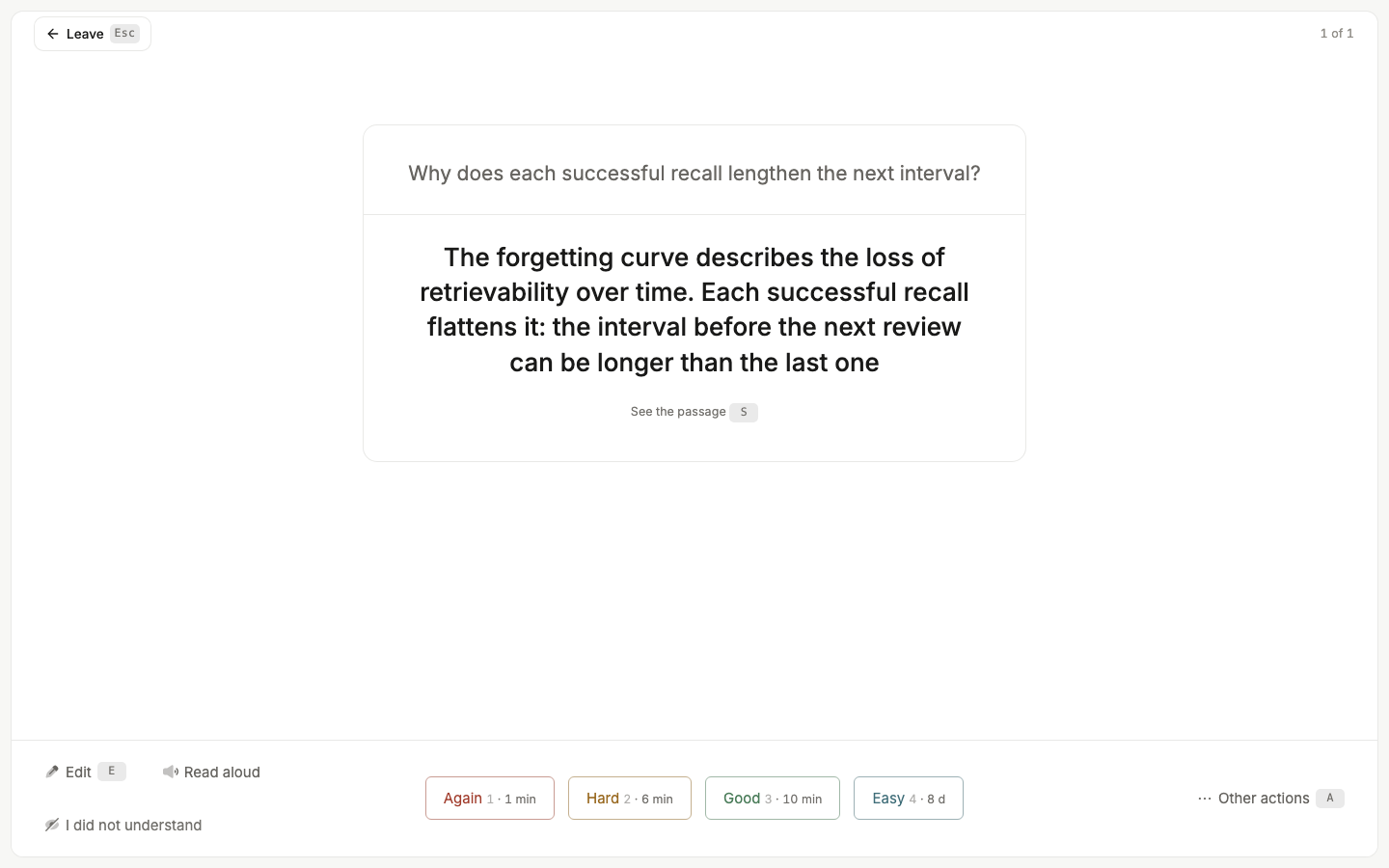
Every card can prove where it came from.
One tap, mid-review. The exact sentence reopens, still highlighted, in your own course, right beside the card. You don’t guess, and you don’t go digging.
Try for free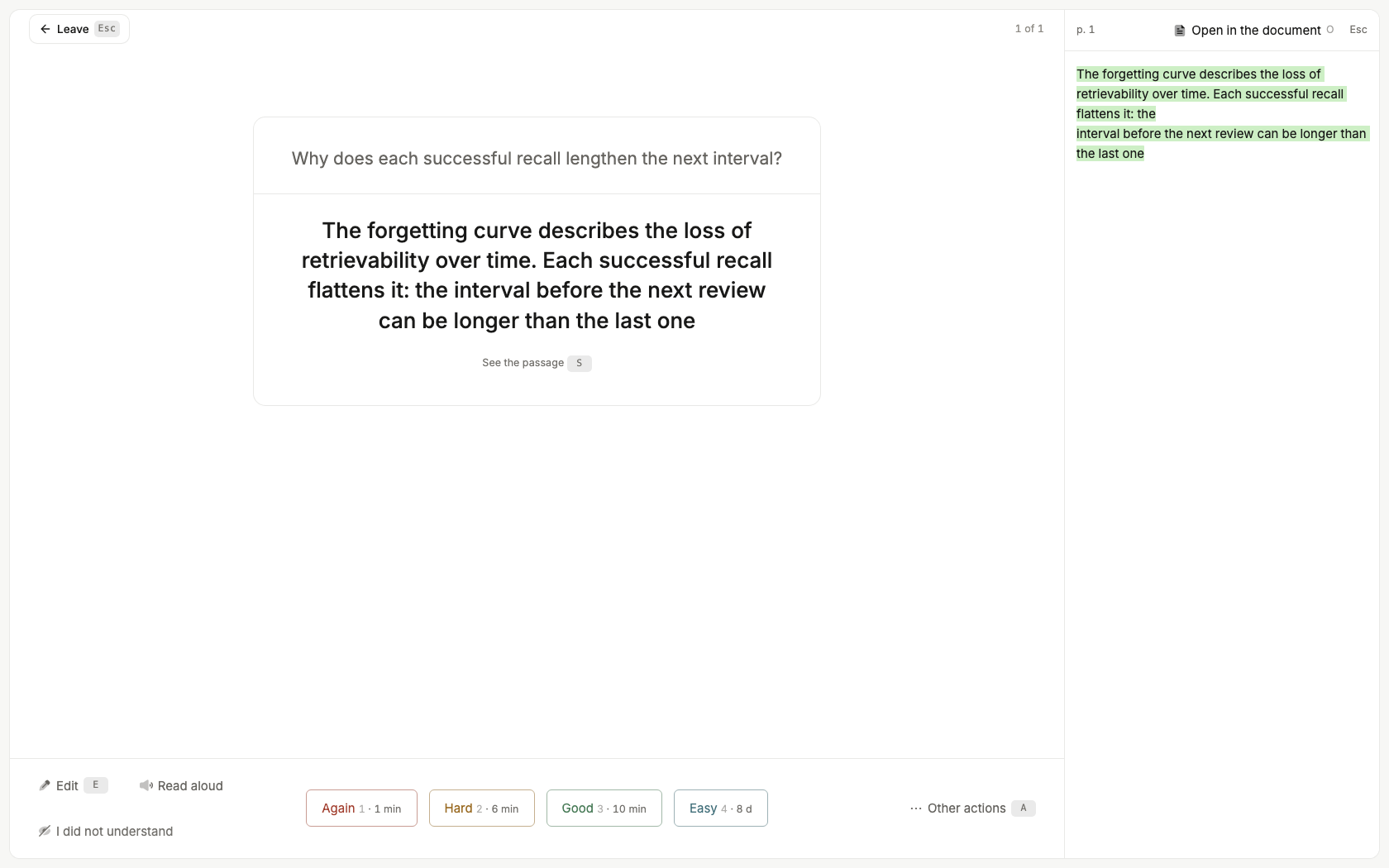
It does the part that is not studying.
Takes the course as it is.
Drop a PDF. It opens here, exactly as it is. Nothing to convert, nothing to retype.
Works on diagrams too.
Draw a box on a plate. Each box becomes a card. No typing at all.
Bends the week before an exam.
Practise the whole course off schedule. Your plan stays where it was.
“I used to lose a huge amount of time taking notes and writing flashcards for my courses. With Recall Note I save ten times more time, and my efficiency has quadrupled.”
No second app, no export, no copy and paste.
- Reader
- Your PDF opens here, exactly as your teacher made it.
- Highlighter
- One colour. To the word, several passages at once.
- Card editor
- Front, back, cloze, image occlusion.
- Review
- Spaced repetition. Four buttons, each with its date.
- Source
- One tap reopens the passage, still highlighted.
- Offline
- Works with no connection. Nothing leaves your machine until you turn on sync.
And they stay yours: export a standard .apkg whenever you want, Anki compatible, review history included.
Try it on your next lecture.
Drop a PDF, highlight one sentence, and the card is half made.
Try for free